
Bopomofo for children
If your child is learning 注音 — for school in Taiwan, or to hold on to a heritage language somewhere else — the Playroom is the part of the app built for them rather than for adult learners. Three simple activities, no timers, no scores and nothing to lose. And if you do not read zhuyin yourself, the chart and converter on this site are what let you check their homework anyway.
The three activities
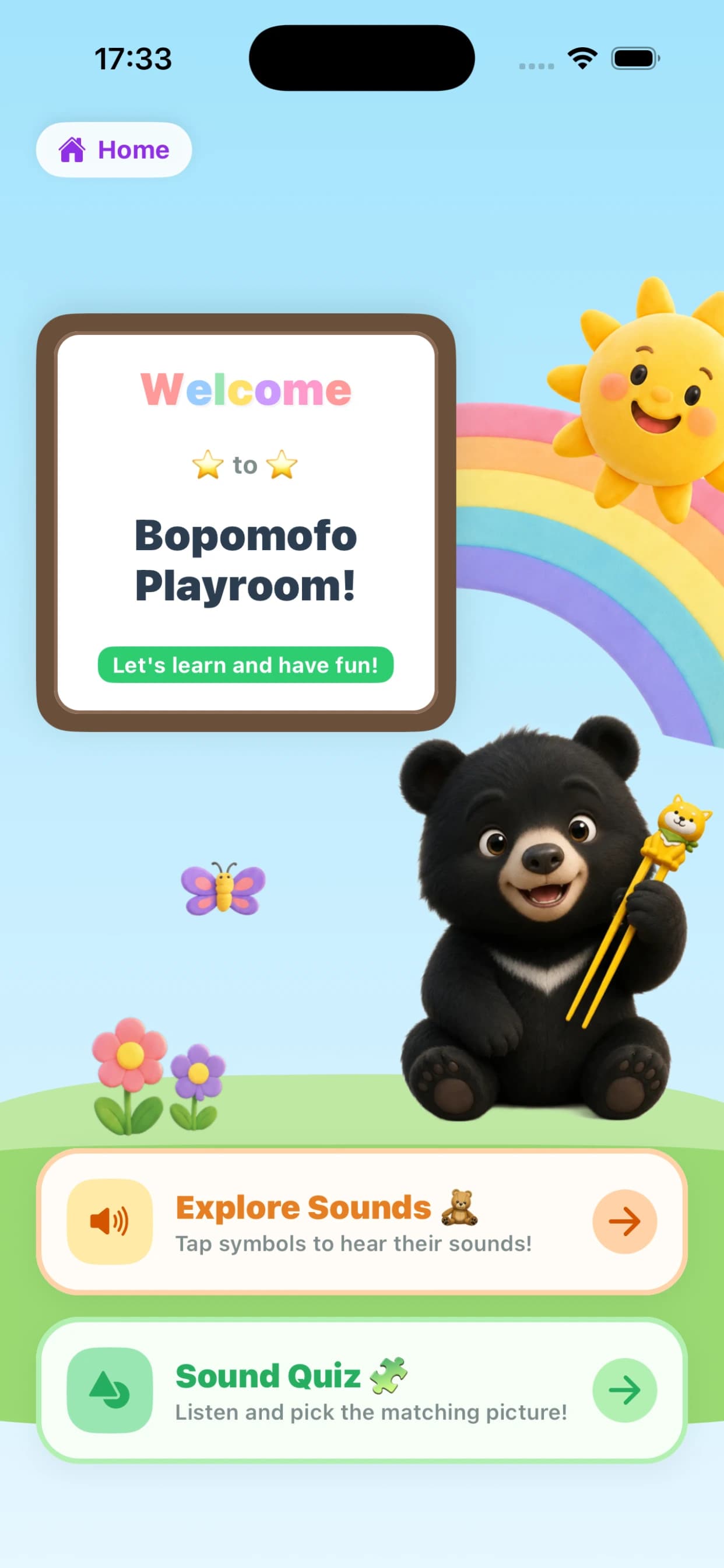
Explore Sounds
A soundboard of all 37 symbols. Tap one, hear it, tap it again. There is no wrong move and no end state — it is meant for the stage where a child is just getting used to the shapes.
Sound Quiz
A symbol is spoken aloud and the child picks the matching picture. Each symbol always pairs with the same picture and word, so a wrong guess simply means hearing it again — the repetition is what helps a child remember it over time.
Lantern Hunt
Sky lanterns drift across the night sky, each carrying a symbol. Your child hears a sound and taps every lantern carrying it.
For parents and teachers
If you are helping a child with 注音 homework and do not read zhuyin yourself, the chart and the converter on this site are the two pages worth bookmarking. Paste a line from the homework into the converter and you will get the zhuyin above each character, exactly as the textbook prints it.
Convert your child's homework →A brighter, more playful world
Instead of scaling down the adult app, the Playroom has its own colorful design, inspired by kids' learning apps like Khan Academy Kids and built for learning through play. Even the mascot changes: Bao appears here as a child rather than the grown bear from the main app.
Why it is a separate mode
The main app is built for adults: it has streaks to protect, a leaderboard, a clock on every game. All of that is motivating if you chose to be there, but none of it is built with a five-year-old in mind, so the Playroom exists as its own space rather than a stripped-down version of the adult app.